
How much profit did I make this month?
The Estimated Profit and Margin cards summarise the chosen period.
Pick a date range and stores: orders, revenue, cost, estimated profit and margin on cards. Click a card and the breakdown chart shows that item’s split.
50% off your first month, code: MERHABA
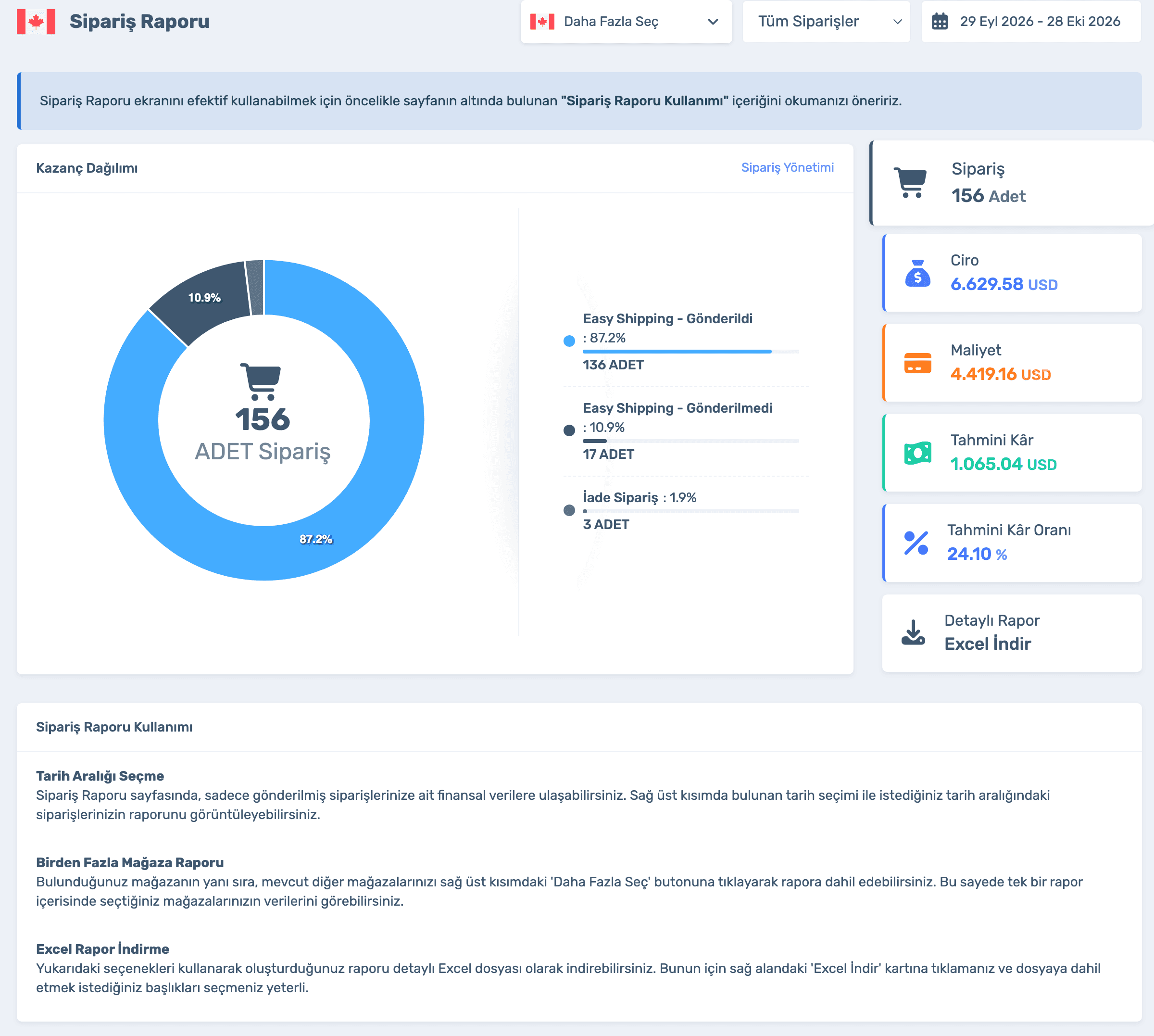
Data in the screens is sample store data.
How much profit did I make this month?
The Estimated Profit and Margin cards summarise the chosen period.
Where do my costs come from?
Click Cost: purchase, warehouse fee, shipping, import fee and tax, each separately.
How much of my sales do I keep?
The Revenue card splits your earnings, Amazon commission, refunds and sales tax.
Sign up and connect your store; the report builds itself from your orders. Already a member? Log in and open Orders › Order Report.
Orders shipped and not yet shipped with Easy Shipping, and returned orders.
Your earnings, Amazon commission, refunds and total sales tax.
Purchase price, warehouse fee, shipping, import fee, tax and purchase discount.
Calculate the report on all orders or completed ones only, and add several stores to the same report.
Sign up and connect your store; the report builds itself from your orders. Already a member? Log in and open Orders › Order Report.
Pick Custom, Detailed or Amazon, or choose the columns yourself.
Order and product, sales and income, cost and profit, shipping and tracking, delivery, warehouse and notes.
Order delivery time, shipping time, time to leave the warehouse and time to reach it.
Order, revenue, cost and profit cards, a breakdown chart and a detailed Excel report.
50% off your first month, code: MERHABA
Used EasyCentral before? 30% off to welcome you back: GERIDON