
Can I see all messages in one place?
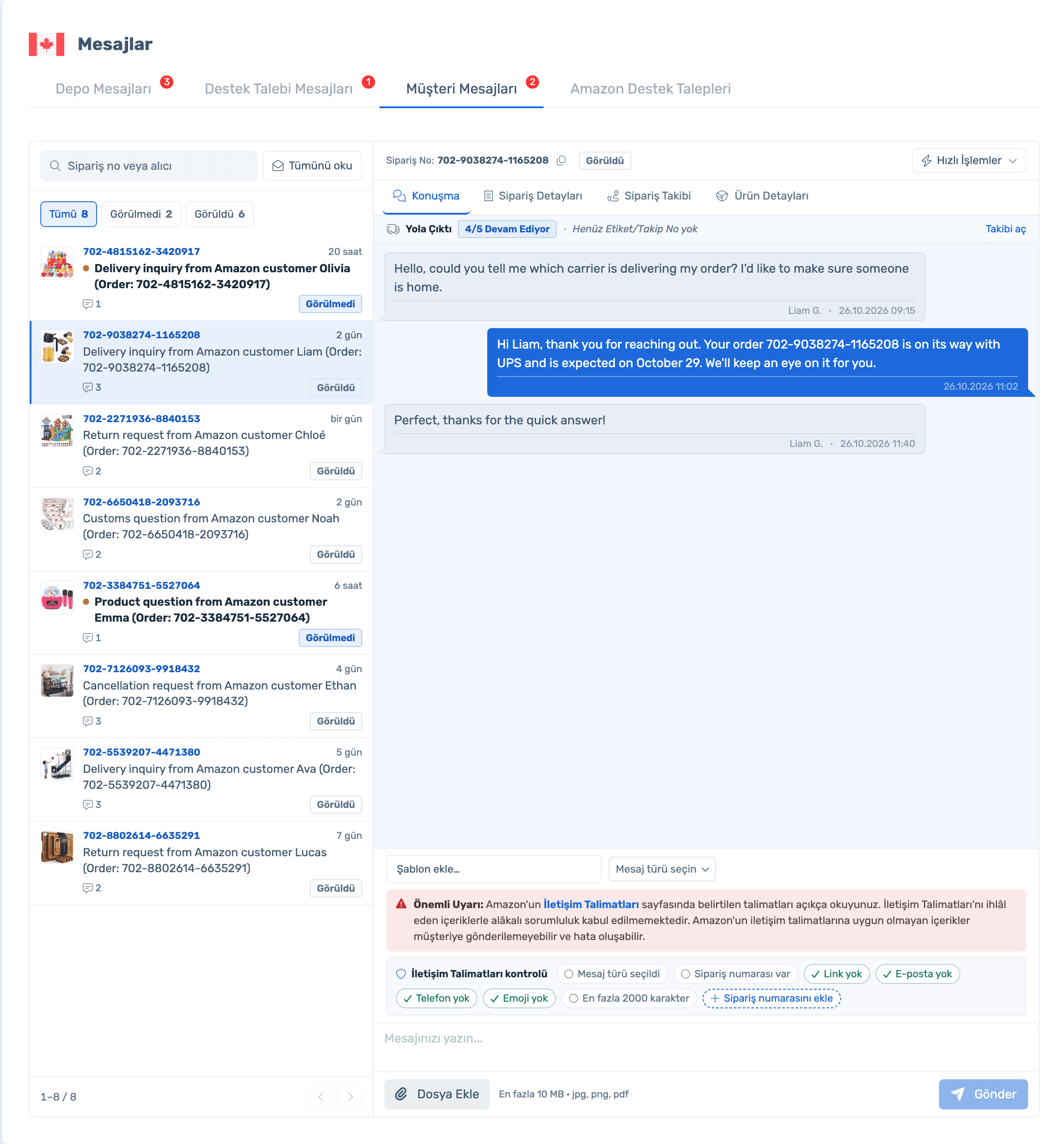
Yes. Warehouse, support ticket, customer and Amazon support messages sit on one screen, tab by tab.
Bring customer, warehouse and support messages into one inbox. Order status, amount, ASIN and tracking sit next to the conversation, and you see whether your reply follows Amazon’s rules before sending.
50% off your first month, code: MERHABA
Data in the screens is sample store data.
Can I see all messages in one place?
Yes. Warehouse, support ticket, customer and Amazon support messages sit on one screen, tab by tab.
Will my reply break Amazon’s rules?
It is checked as you type: order number present, no links, emails, phone numbers or emoji, under 2000 characters.
How do I automate review requests?
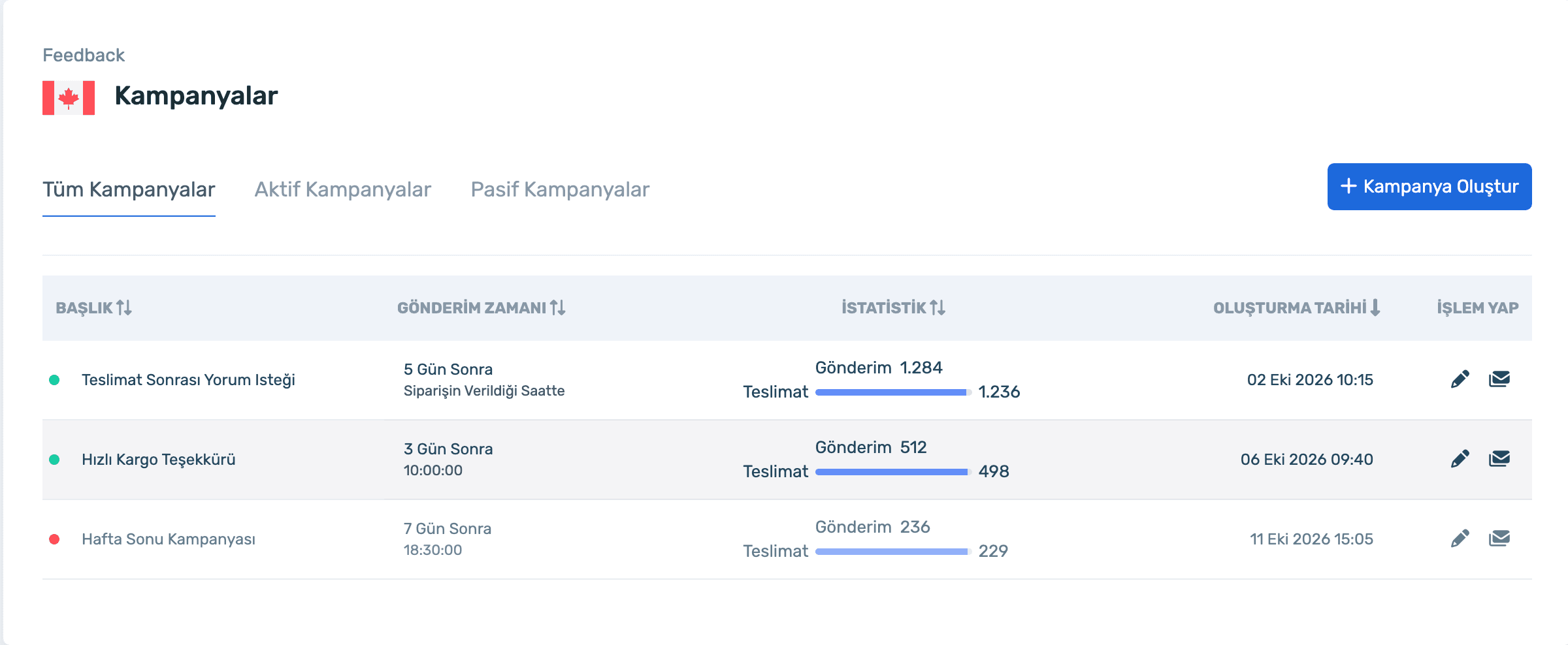
Set up a feedback campaign; choose how many days after delivery and at what time to send, and exclude returned or late orders.
How do I track negative feedback?
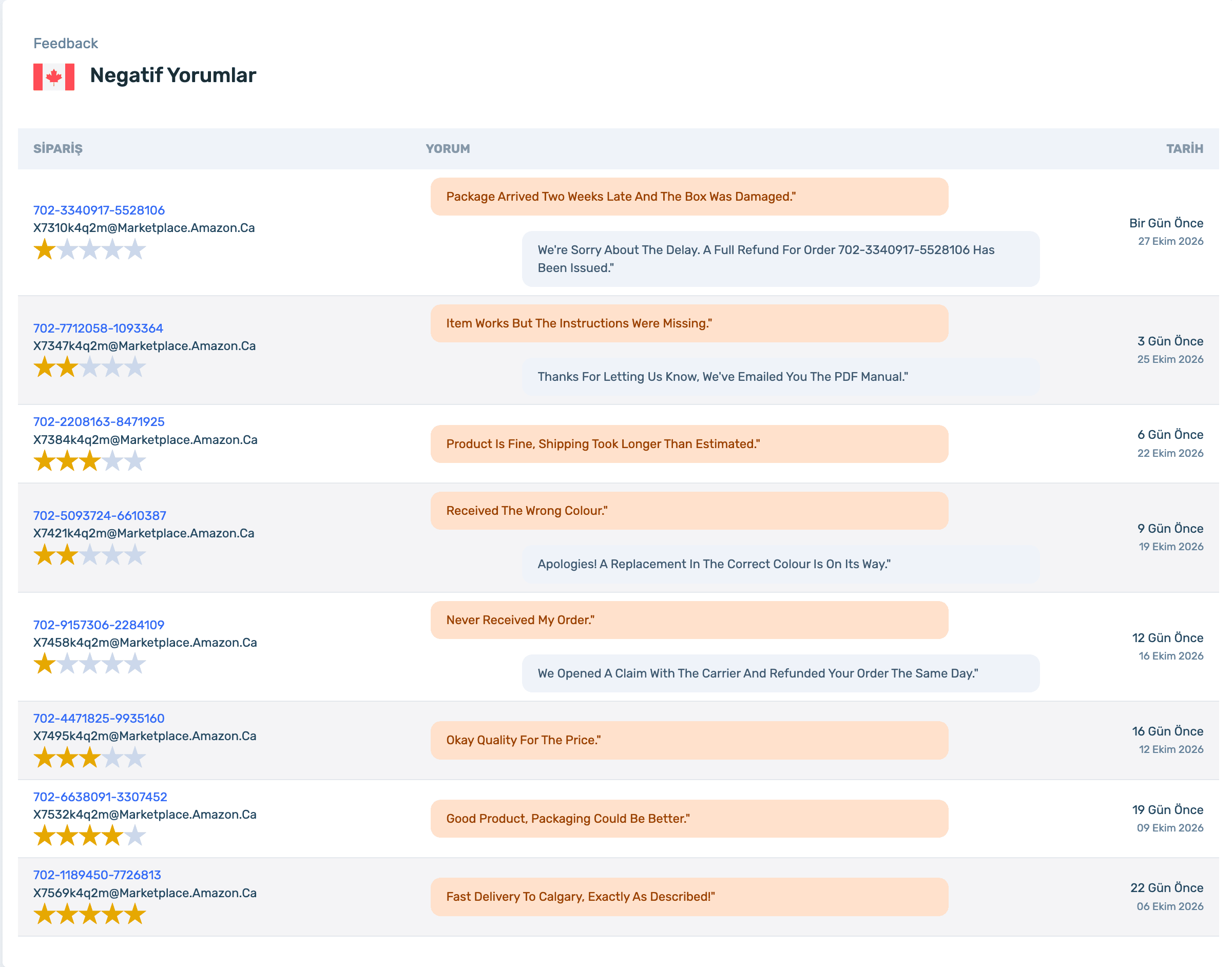
The Negative Feedback list shows the rating, the comment and your response with the order number.
Sign up and connect your store; messages and feedback come in automatically. Already a member? Log in and open Messages.
Create a campaign in four steps: write the content, preview the email, choose filters, set the timing. Each campaign shows its send and delivery stats.
Sign up and connect your store; messages and feedback come in automatically. Already a member? Log in and open Messages.
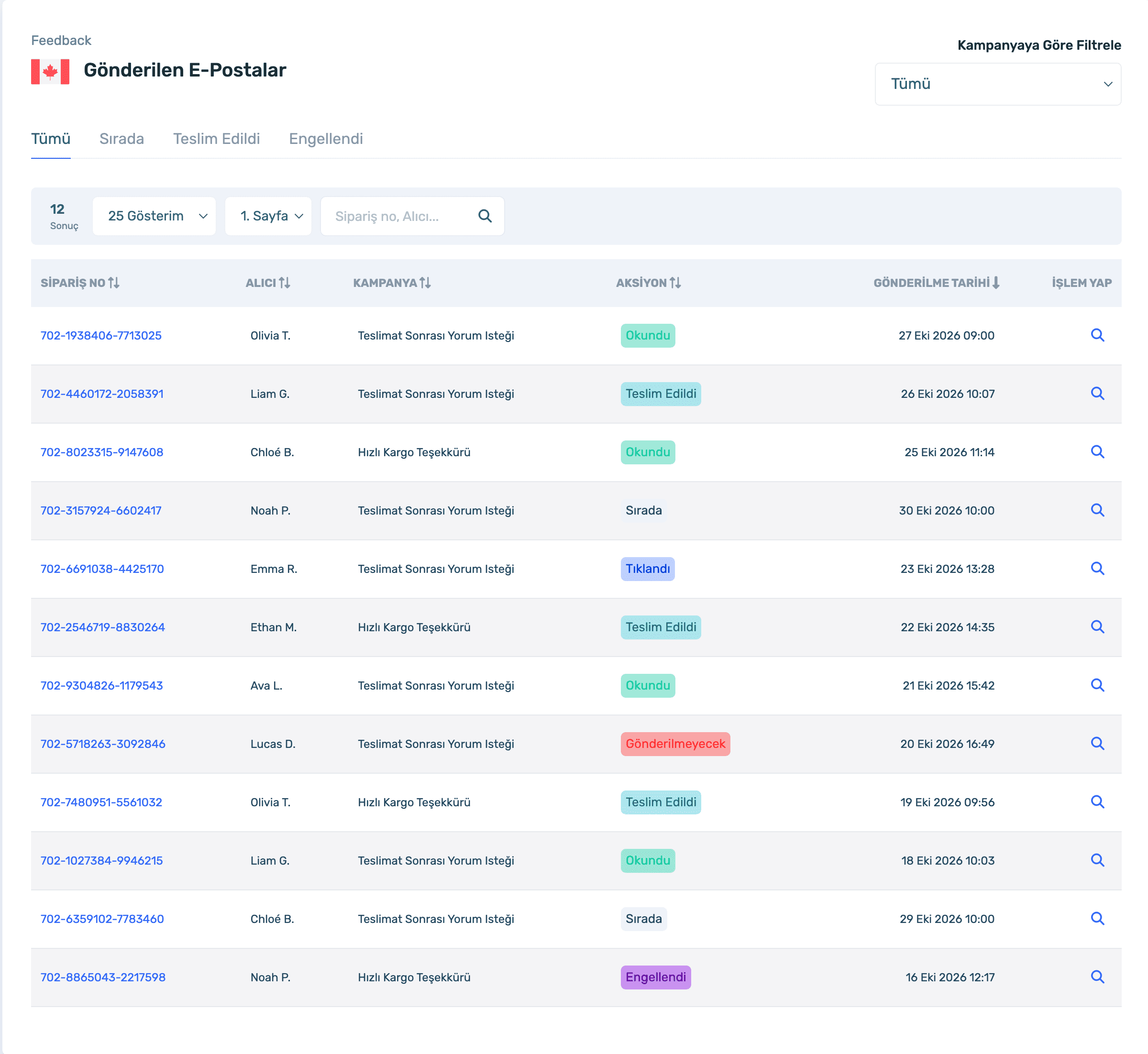
See sent review requests with order, buyer and campaign: queued, delivered, read or blocked. Amazon "Request a Review" requests appear in the same list as Easybridge Feedback.
Negative feedback with order number, rating, comment and your response in one list. Act before it affects account health.
Sign up and connect your store; messages and feedback come in automatically. Already a member? Log in and open Messages.
One inbox, rule checks, feedback campaigns and negative feedback tracking.
50% off your first month, code: MERHABA
Used EasyCentral before? 30% off to welcome you back: GERIDON