
When does the message go out?
When the chosen event happens, or at the hour you set.
Write a template once and pick when it goes out: when the order ships, waits at customs, runs late or gets a return request, the message is sent on its own.
50% off your first month, code: MERHABA
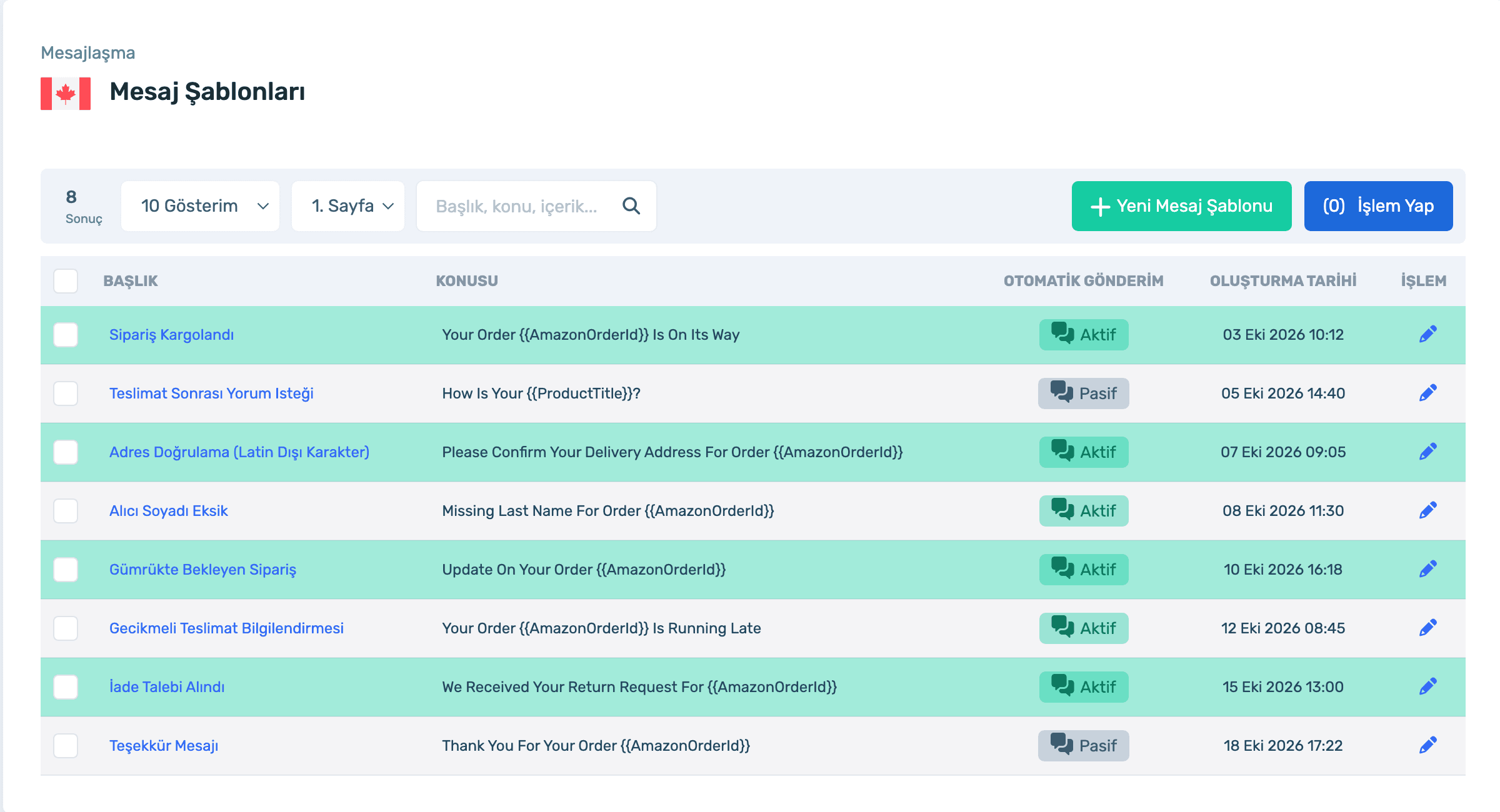
Data in the screens is sample store data.
When does the message go out?
When the chosen event happens, or at the hour you set.
Is it specific to each order?
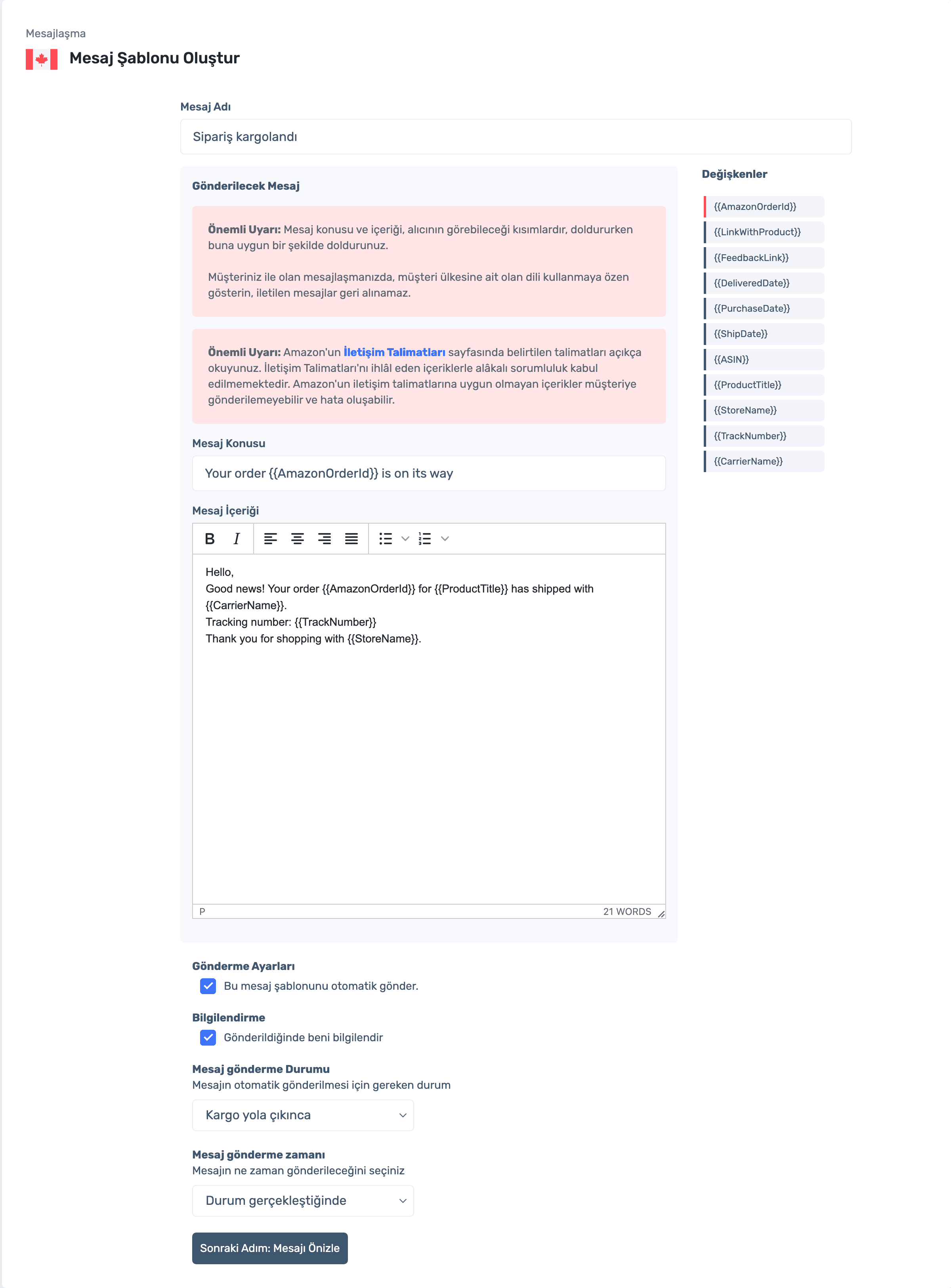
Yes. Variables like {{AmazonOrderId}}, {{ProductTitle}}, {{TrackNumber}} and {{CarrierName}} fill in with the order’s details.
How do I know it was sent?
Turn on "Notify me when sent" and get a notification for every send.
Sign up, connect your store, create a template and pick the trigger. Already a member? Log in and open Messaging › Message Templates.
Name, subject and content on one screen. Add variables from the list on the right, turn on automatic sending below and choose when and on which event it goes out.
Sign up, connect your store, create a template and pick the trigger. Already a member? Log in and open Messaging › Message Templates.
When the order ships, waits at customs, can’t be delivered, gets lost or runs late.
When a return is requested and when it is completed.
When the address is not in Latin script or the buyer’s surname is missing.
The buyer sees the subject and content; content against Amazon’s Communication Guidelines is the seller’s responsibility. Write in the buyer’s language.
Triggered templates, variables and send notifications.
50% off your first month, code: MERHABA
Used EasyCentral before? 30% off to welcome you back: GERIDON