
Can I set margin by price range?
Yes. Higher margin on cheap items, lower on expensive ones; min, target and max margin per range.
Enter Amazon fee, exchange rate, tax and shipping once; set min, target and max margin by price range. EasyCentral calculates every product’s sale price from the source price automatically.
When the source price changes, your sale price updates by the same rule.
50% off your first month, code: MERHABA
Data in the screens is sample store data.
Can I set margin by price range?
Yes. Higher margin on cheap items, lower on expensive ones; min, target and max margin per range.
How do I handle exchange rates?
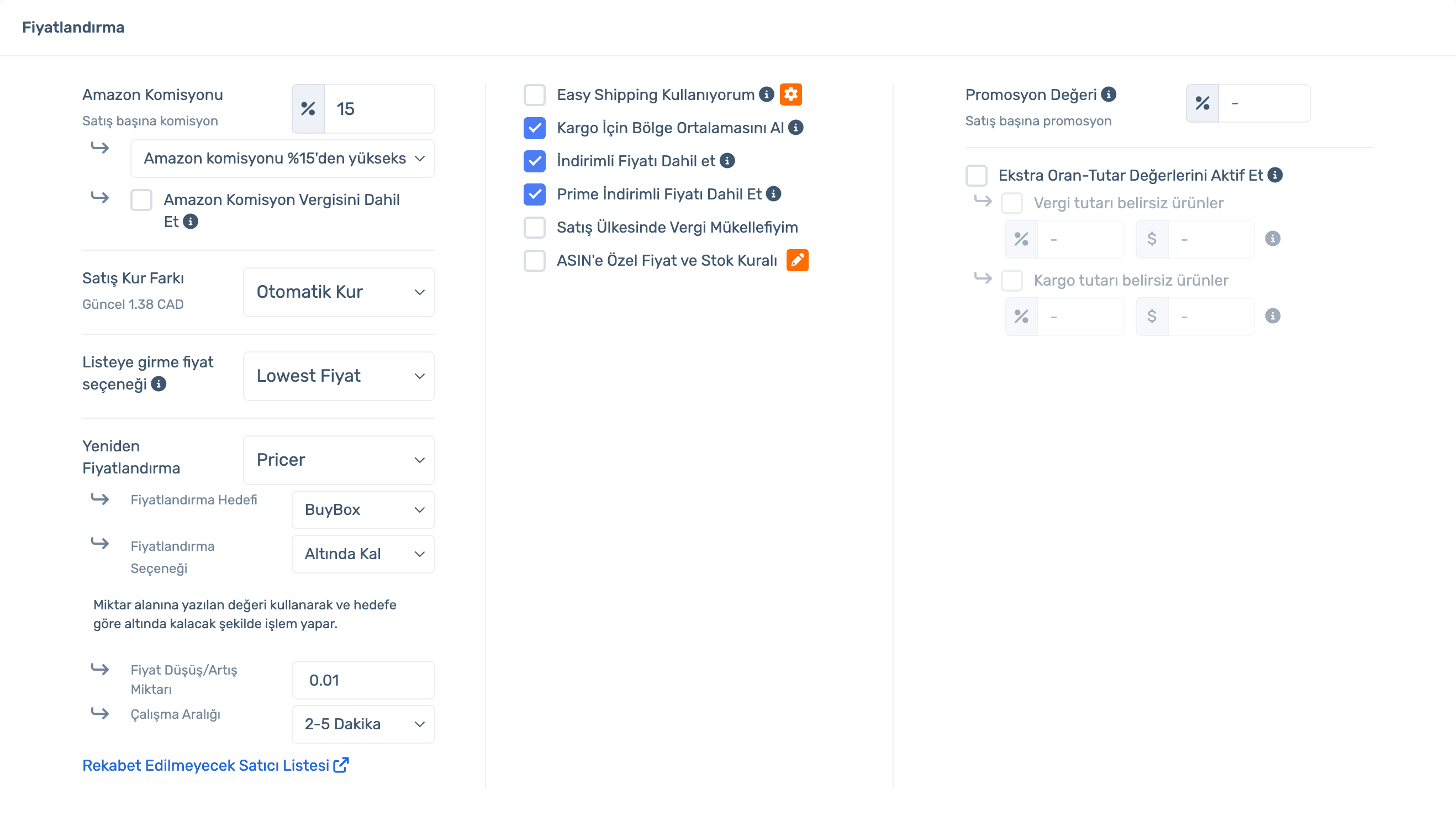
Automatic Rate uses the current rate; or set a manual or minimum rate.
How is the Amazon fee included?
Use your own fee rate, Amazon’s fee, or "use Amazon’s fee if it is above X%".
Can I list at the BuyBox price?
Entry price can be Normal, Min, BuyBox, Lowest or "BuyBox, else Lowest".
Sign up, connect your store and enter your margins; prices are calculated for you. Already a member? Log in and open Inventory › Update Settings.
Every item behind your price in one place; set it once and it applies to every product.
Three rules: your rate, Amazon’s rate or "Amazon’s if above X%". Optionally include fee tax.
Automatic, Manual or Minimum rate. The current rate is shown on screen.
Discounted and Prime prices, regional shipping average, tax status; extra rate/amount for products with unknown tax or shipping.
Add purchase price ranges; for each one set min, target and max margin, a separate margin when you are the only seller, extra rate/amount, minimum stock and quantity. A default row covers products outside the ranges.
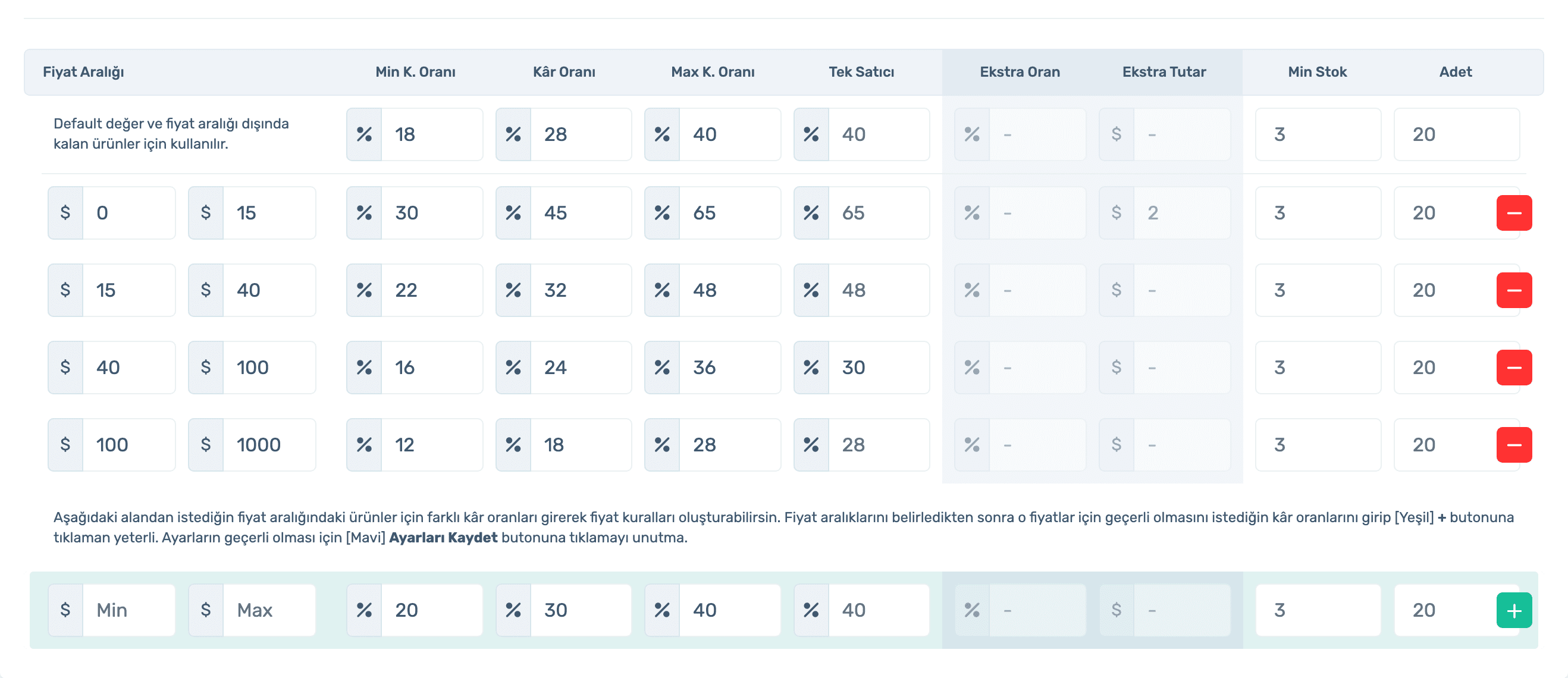
Sell at a higher margin when there is no competitor.
Give specific products their own price and stock rule.
Sign up, connect your store and enter your margins; prices are calculated for you. Already a member? Log in and open Inventory › Update Settings.
Adjust price to BuyBox or Lowest automatically, staying between min and max.
Set a separate margin for Easy Shipping products.
Define special discount tiers for business buyers.
Fees, rate, tax and shipping included; margin by price range.
50% off your first month, code: MERHABA
Used EasyCentral before? 30% off to welcome you back: GERIDON