
Which seller should I buy from?
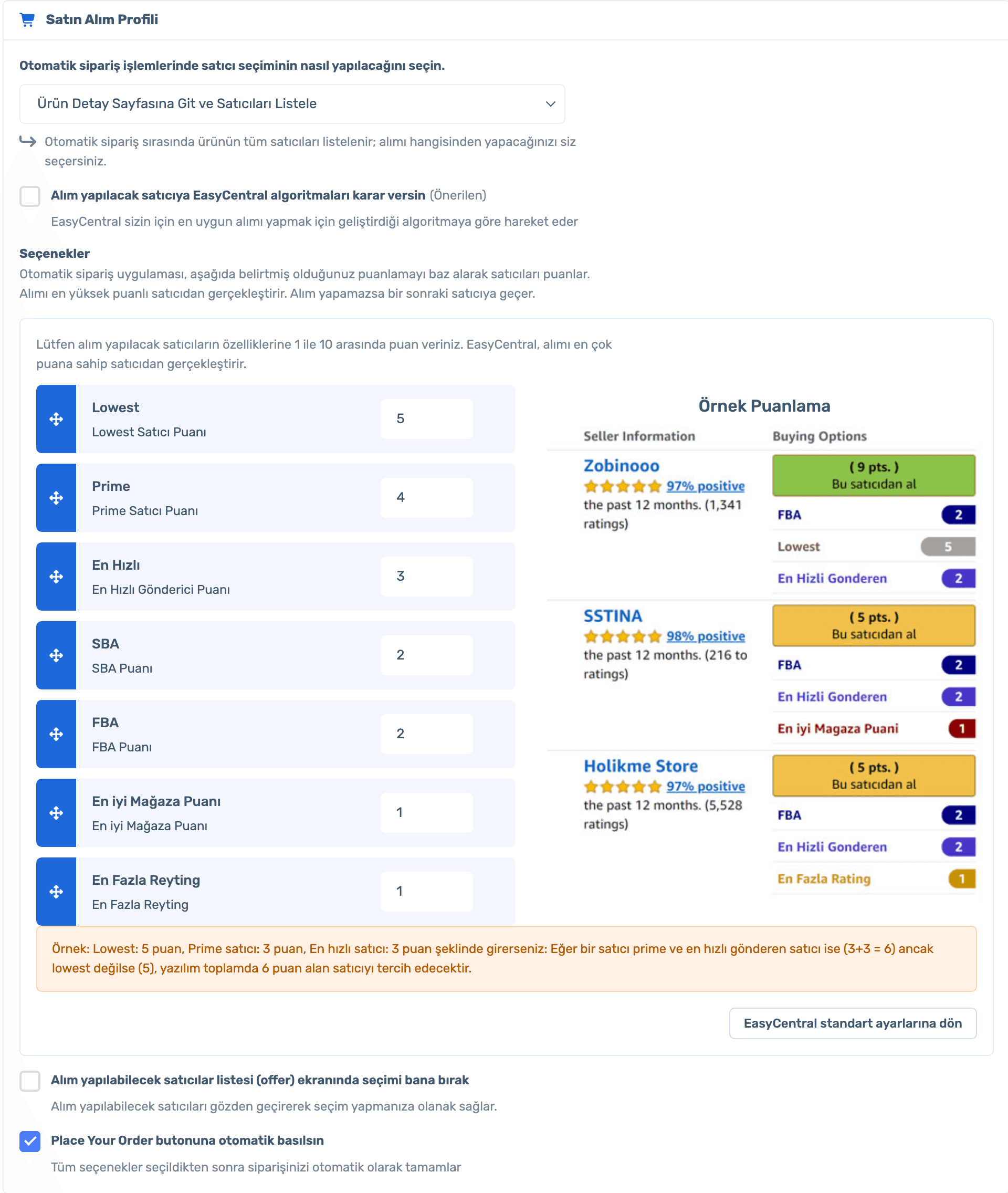
Score Lowest, Prime, SBA, FBA, fastest shipping, store rating and review count from 1 to 10; the top-scoring seller wins. Or let EasyCentral’s algorithms decide.
Set up your buying profile once: decide which seller to buy from by scoring, automate the Place Your Order step and confirm the order on Amazon as soon as the tracking ID is ready.
Purchasing runs through the ExLauncher extension in your browser and your Amazon buyer account.
50% off your first month, code: MERHABA
Data in the screens is sample store data.
Which seller should I buy from?
Score Lowest, Prime, SBA, FBA, fastest shipping, store rating and review count from 1 to 10; the top-scoring seller wins. Or let EasyCentral’s algorithms decide.
Do I order one by one?
Hit "Order All Automatically" in the order list; the extension opens the product page, picks the seller and can press Place Your Order for you.
Who confirms the order?
Orders with a ready tracking ID are confirmed automatically. You can also set a rule for orders whose deadline arrives before the tracking ID.
How do I avoid buying the wrong item?
If the title shows a critical difference such as quantity, pack, size or colour, you are asked to approve before ordering.
Sign up, connect your store, install ExLauncher and set up your buying profile. Already a member? Log in and open Orders › Automatic Order Settings.
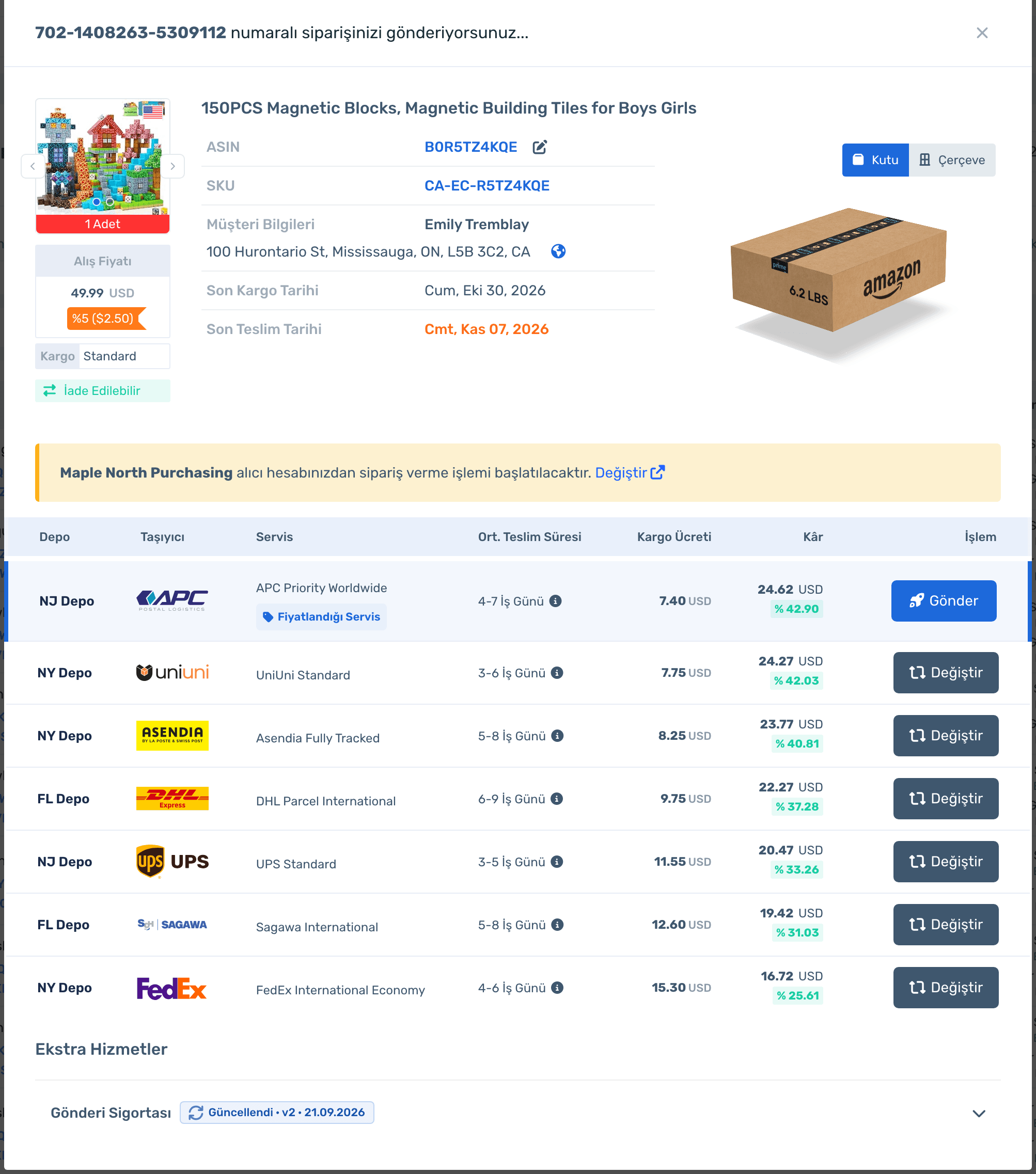
"Place Order" on a row opens the order screen: purchase price and coupon, customer address, ship-by and deliver-by dates, box size and the buyer account to order from. Below, warehouse services are listed with delivery time, shipping cost and profit; the priced service is marked.
Sign up, connect your store, install ExLauncher and set up your buying profile. Already a member? Log in and open Orders › Automatic Order Settings.
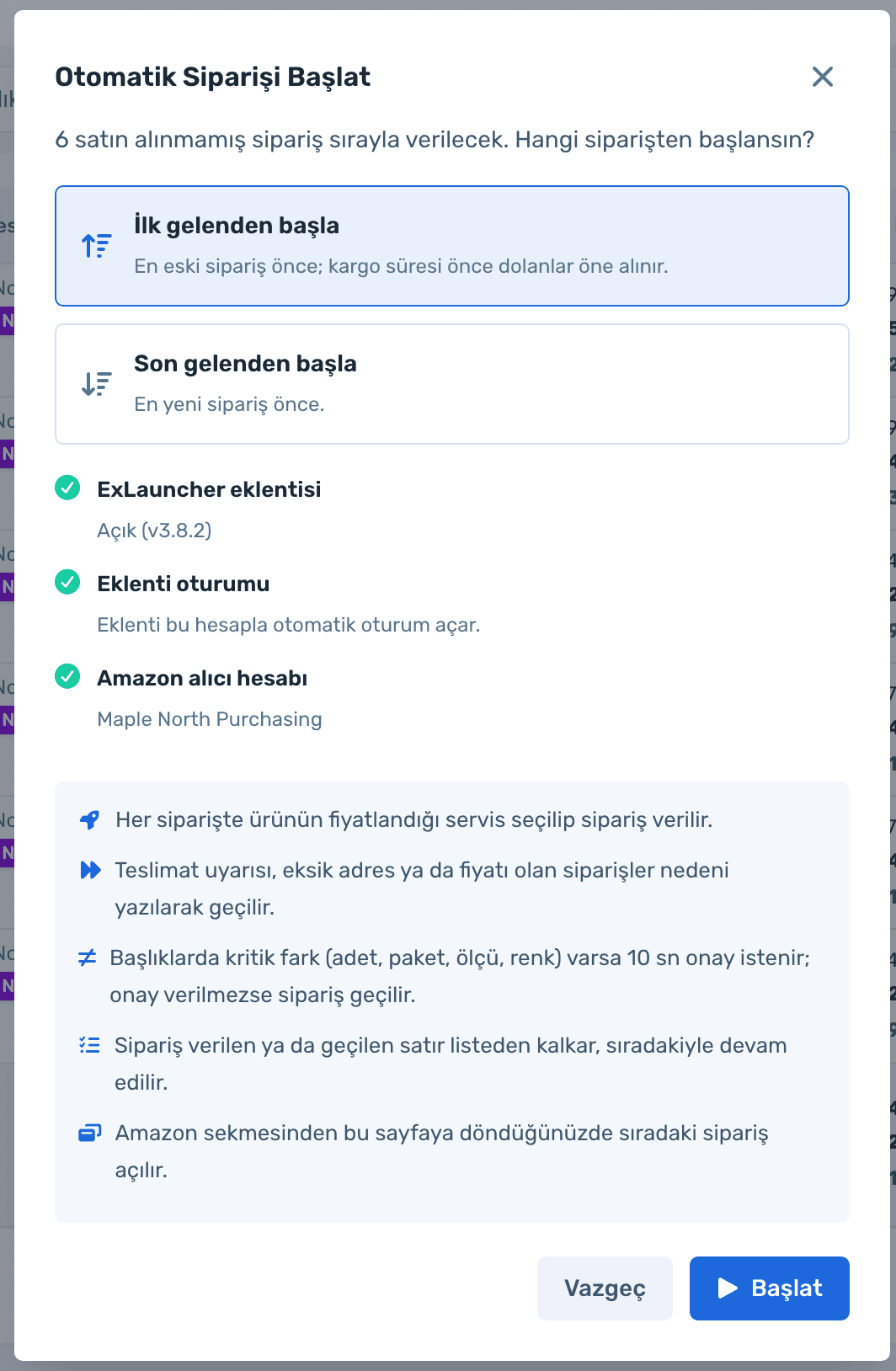
On the "Not Purchased" card, hit "Order All Automatically" and choose to start with the oldest or newest. The extension, its session and the Amazon buyer account are checked, then orders are placed one by one with the priced service.
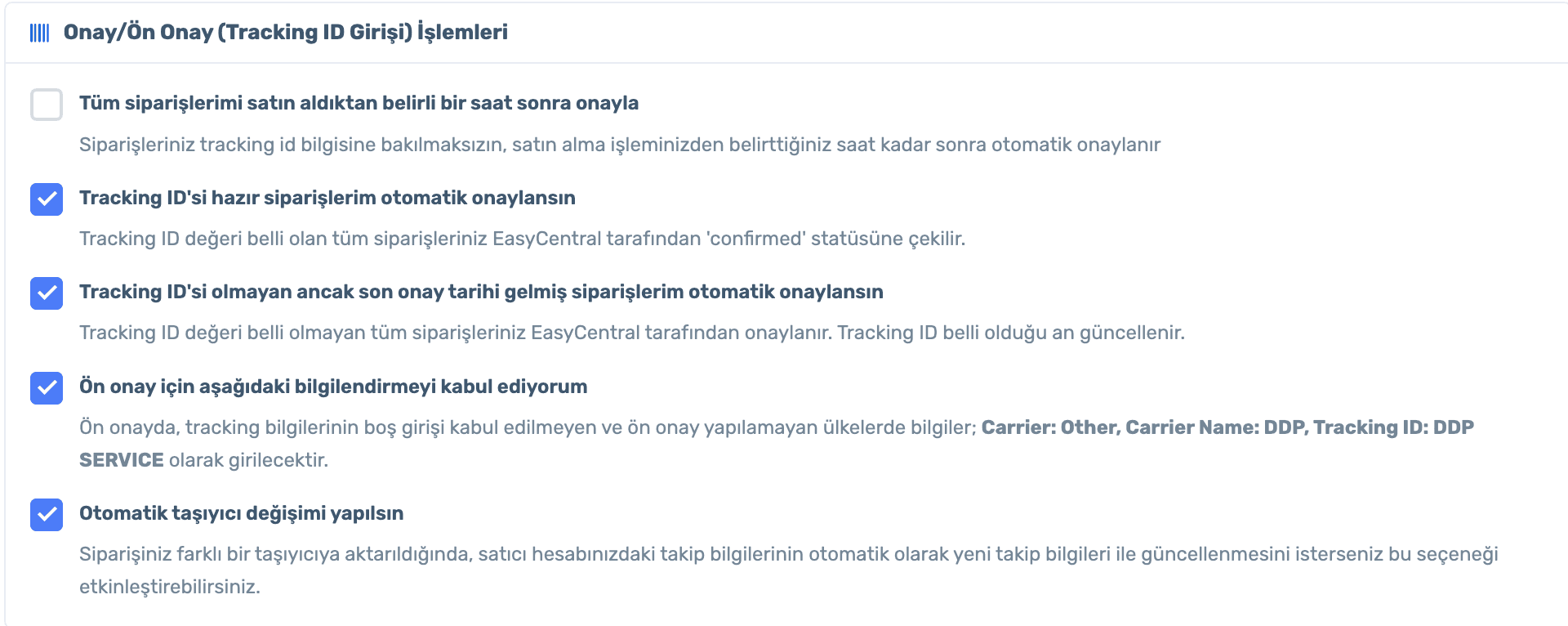
Confirm orders a set number of hours after purchase, confirm the ones with a ready tracking ID automatically, and let the software switch carriers when needed.
Sign up, connect your store, install ExLauncher and set up your buying profile. Already a member? Log in and open Orders › Automatic Order Settings.
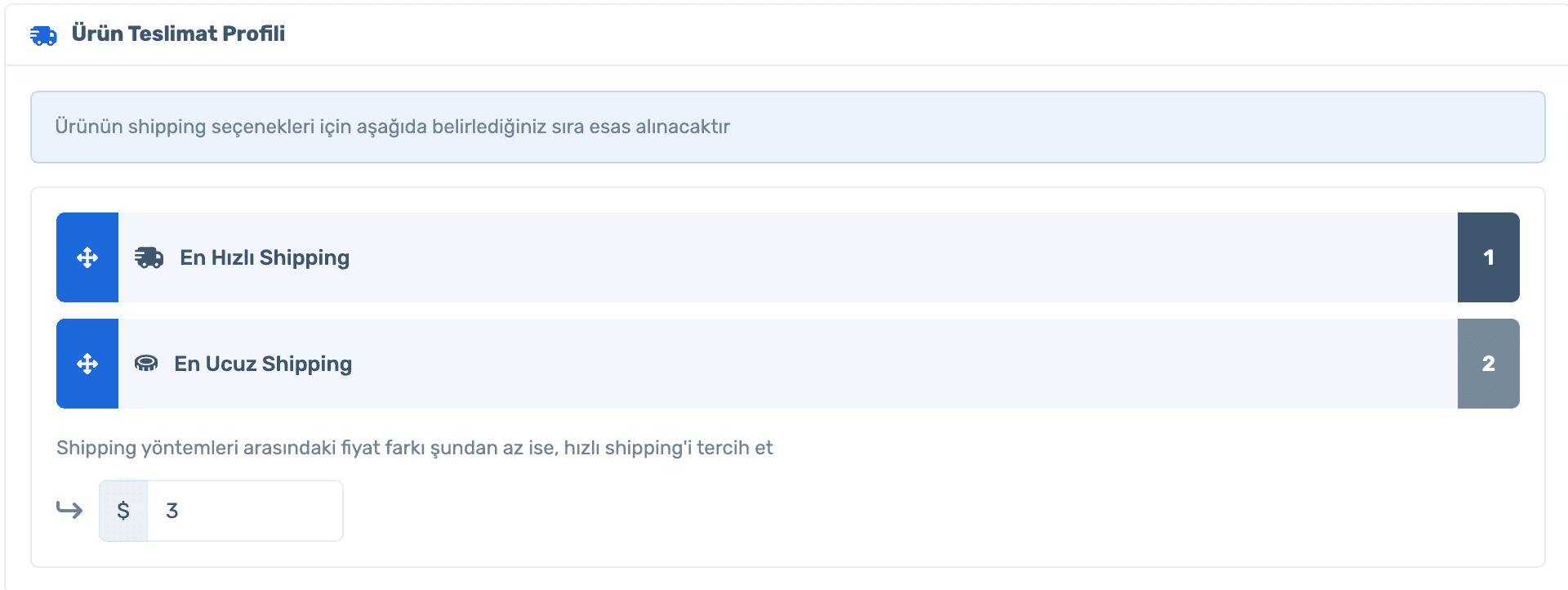
Rank shipping options so the fastest or the cheapest comes first. If the price gap stays under your threshold, the faster shipping is chosen.
In supported marketplaces, if your warehouse balance is enough, labels are created in advance for purchased but not yet shipped warehouse orders.
Seller scoring, automatic purchasing and auto-confirmation with tracking ID.
50% off your first month, code: MERHABA
Used EasyCentral before? 30% off to welcome you back: GERIDON