
Which products can I sell?
Products that match your price, sales rank, review, stock and seller-count filters pass the scan; the rest wait in Inactive Products with the reason.
Scan by ASIN list, Amazon link or a variation product. Source and sales store filters drop unsuitable products up front; the rest move to the Upload Pool.
Your daily scan limit is 10 times your package limit and resets every night at 03:00.
50% off your first month, code: MERHABA
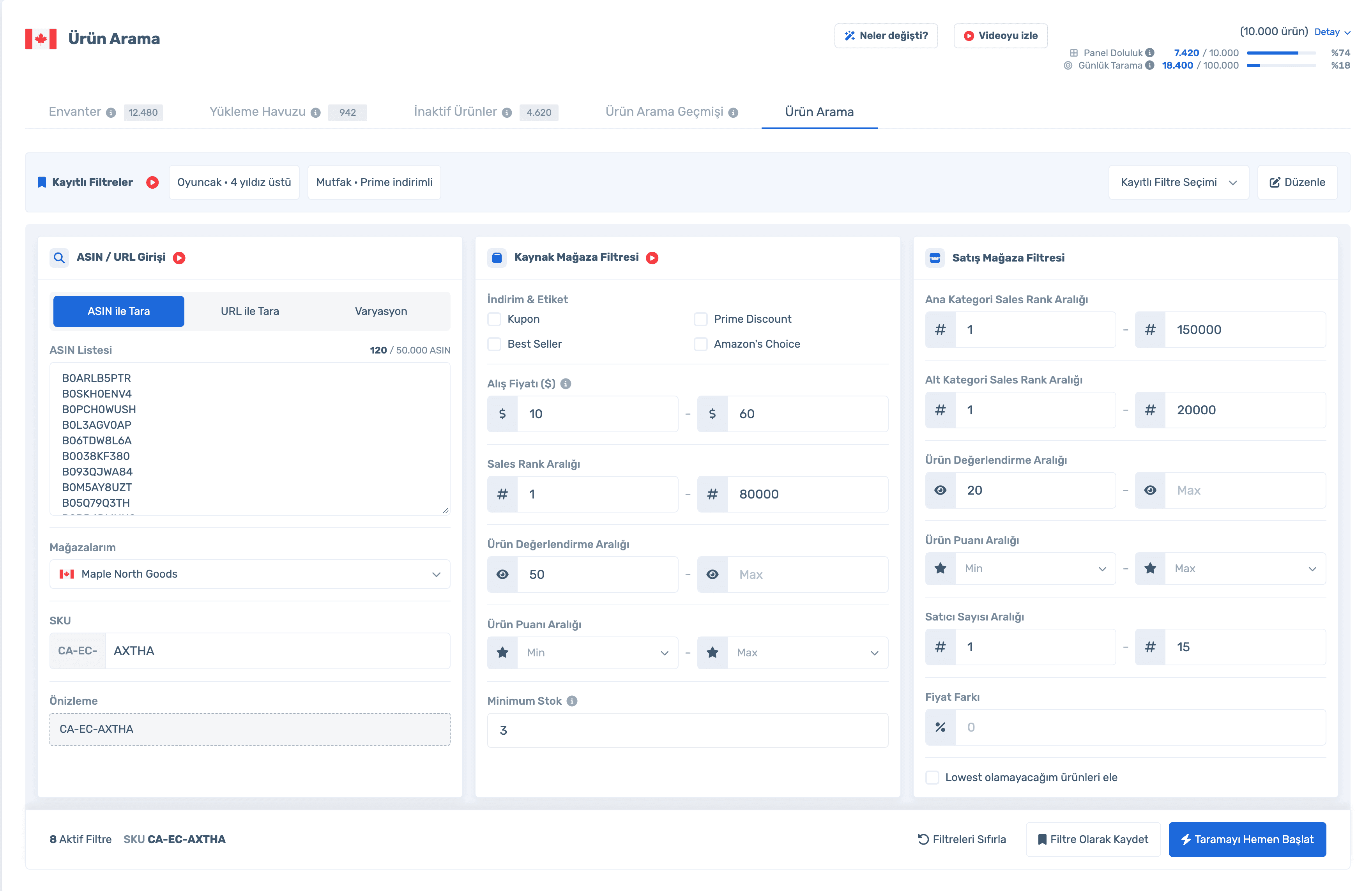
Data in the screens is sample store data.
Which products can I sell?
Products that match your price, sales rank, review, stock and seller-count filters pass the scan; the rest wait in Inactive Products with the reason.
How many ASINs can I scan at once?
Up to 50,000 ASINs per scan. If your remaining daily quota is lower, that becomes the limit.
What is my daily limit?
10 times your package limit. Panel usage and daily scans are always shown at the top of the screen.
Do I have to set filters every time?
No. Save your settings as a filter and make it the default if you like; it comes back in one click next time.
Sign up, connect your store and paste your ASIN list. Already a member? Log in and open Inventory Management › Product Search.
ASIN or link input on the left, source store (amazon.com) filters in the middle, sales store filters on the right. "Start Scan Now" starts the scan and takes you to Search History.
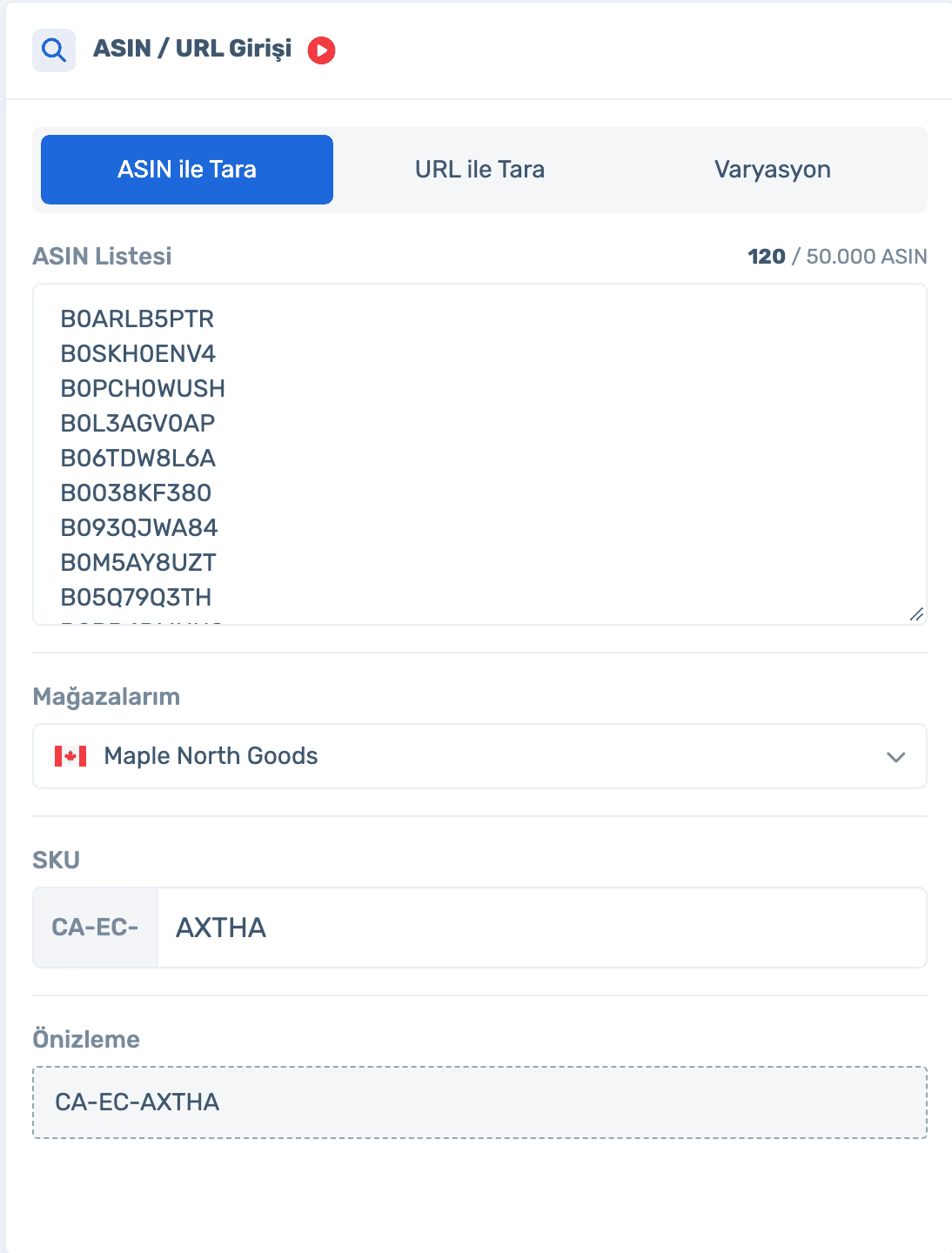
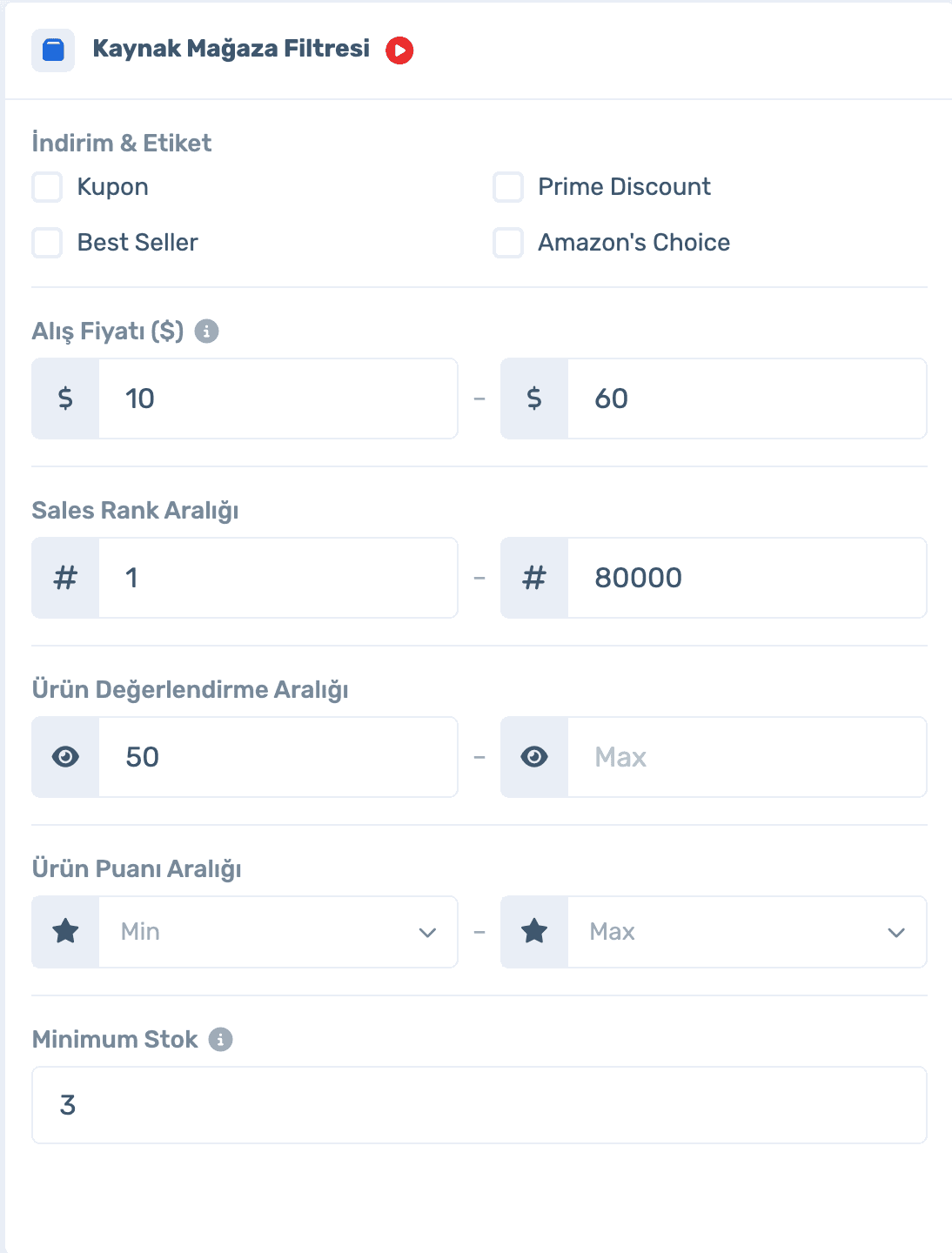
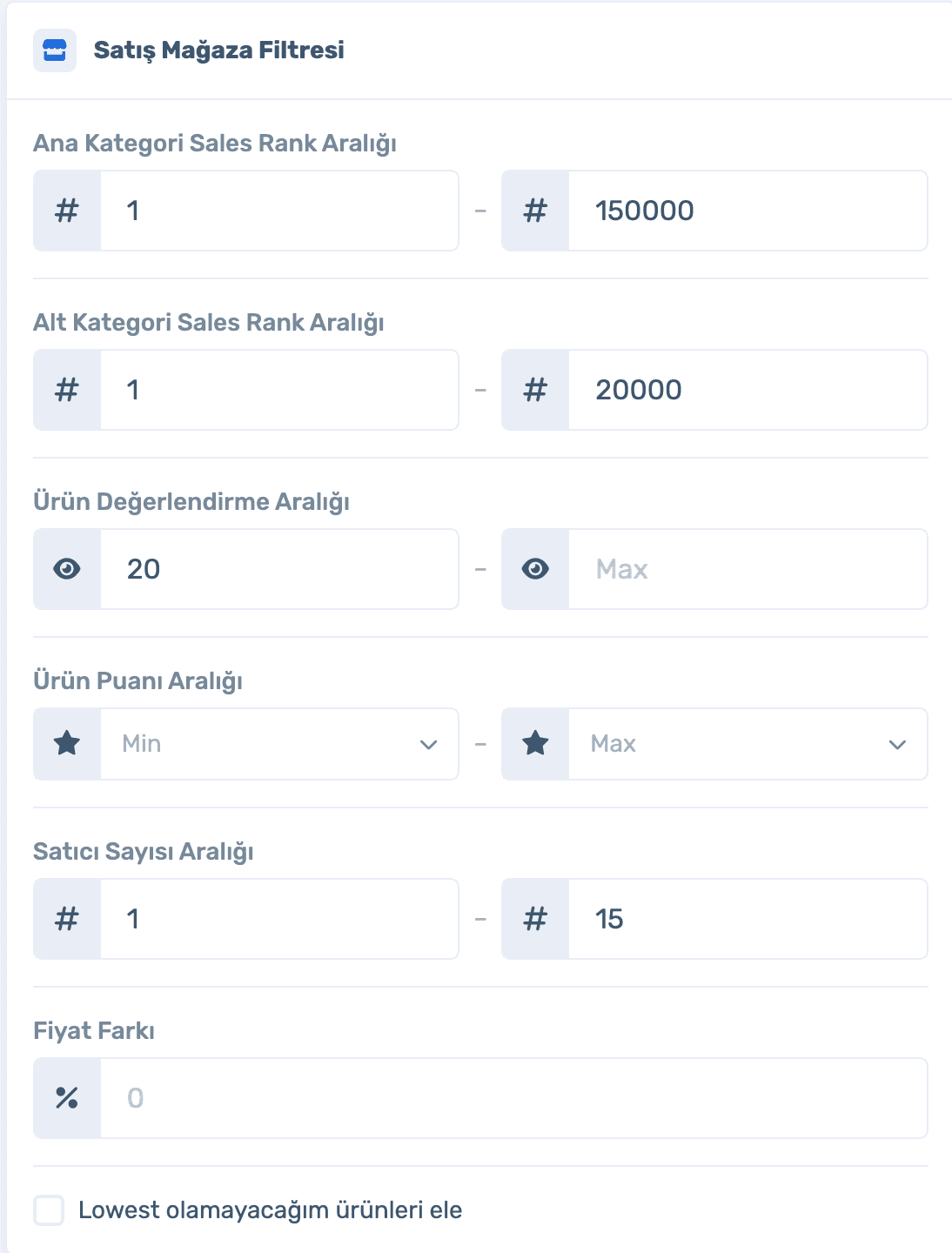
Prepare filter sets by category or store. Apply in one click, make one the default or edit it.

Sign up, connect your store and paste your ASIN list. Already a member? Log in and open Inventory Management › Product Search.
Panel usage compares products in your inventory and Upload Pool with your package limit. The daily scan counter resets at 03:00; ASINs over the limit wait for the next day’s quota.

Each scan’s status, details and drop reasons are here.
Suitable products move here and get ready for upload with Restriction Check.
Products caught by filters are listed separately with the reason.
Sign up, connect your store and paste your ASIN list. Already a member? Log in and open Inventory Management › Product Search.
50,000 ASINs per scan, saved filters and a 10x daily scan limit.
50% off your first month, code: MERHABA
Used EasyCentral before? 30% off to welcome you back: GERIDON