
How do I price against competitors?
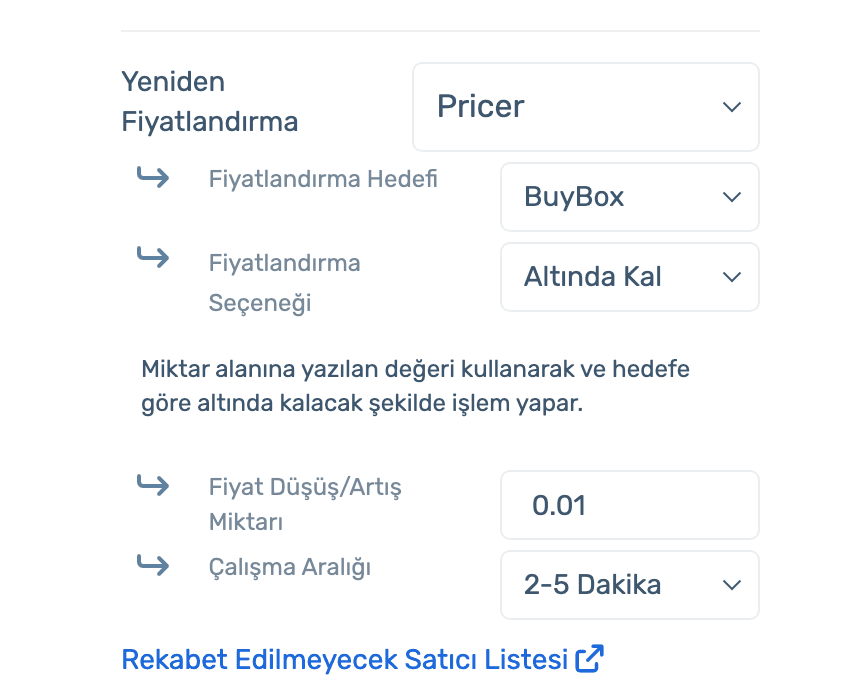
Choose BuyBox or Lowest as the target, pick "Stay Below", "Stay Above" or "Match", and enter the step amount.
Pick your target (BuyBox or Lowest) and whether to stay below, above or equal. Easy Pricer checks competitor prices regularly and updates your price without leaving your min–max range.
Min and max come from the margins in Pricing Settings, so you never sell at a loss.
50% off your first month, code: MERHABA
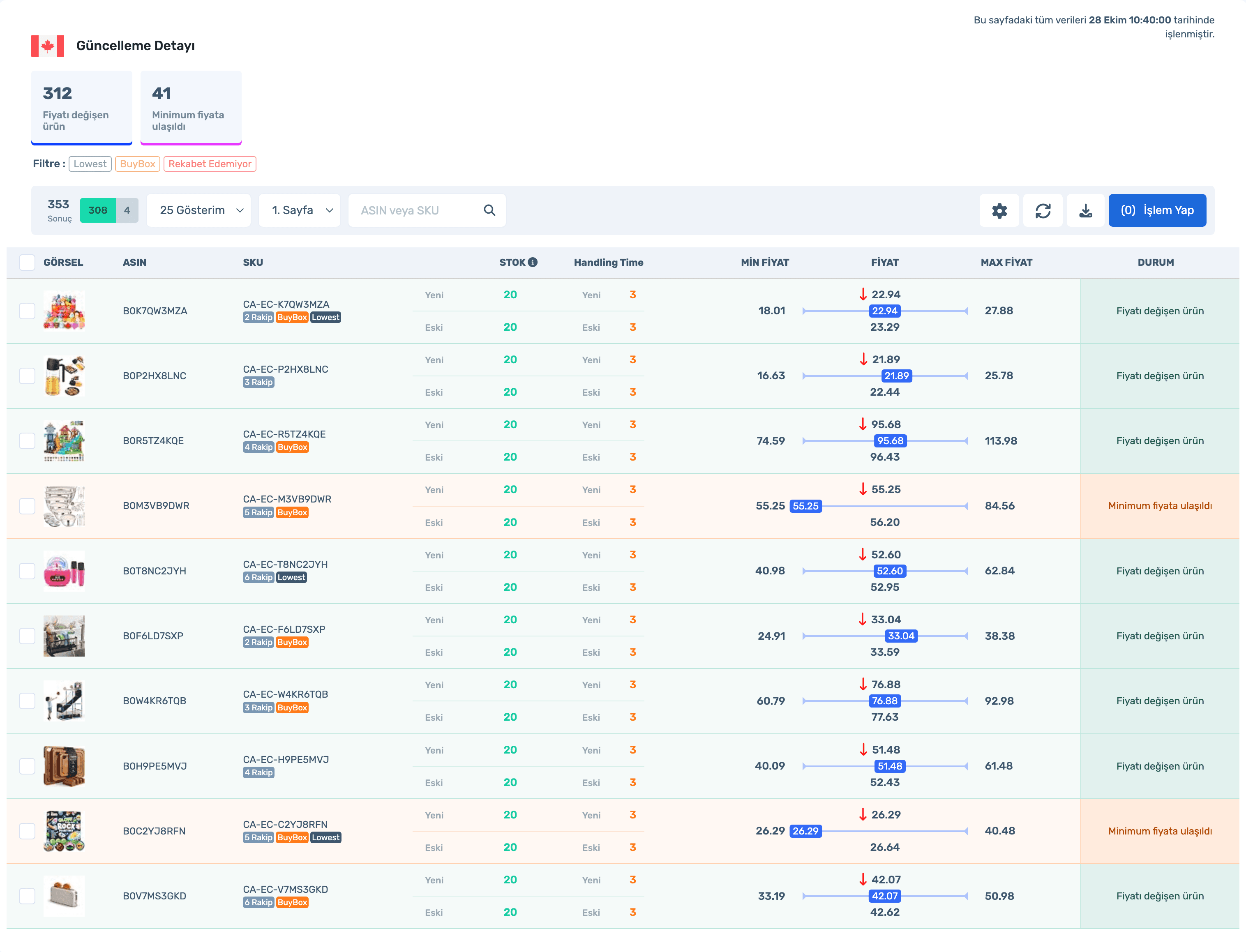
Data in the screens is sample store data.
How do I price against competitors?
Choose BuyBox or Lowest as the target, pick "Stay Below", "Stay Above" or "Match", and enter the step amount.
How often is my price updated?
You choose the interval, from 2-5 minutes up to 60. For European time-zone stores (except UK) the shortest is 20 minutes.
Won’t I sell at a loss?
No. Price never goes below your min; products that hit the min are counted separately in the history.
I don’t want to compete with some sellers.
Add them to the Do-Not-Compete Seller List; Easy Pricer ignores them.
Sign up, connect your store and turn on Easy Pricer. Already a member? Log in and set Repricing to Pricer in Update Settings.
Choose Pricer under Repricing; set the target, option, step amount and interval. Manage sellers to skip from the list.
After each round, repriced products and those at their minimum are counted separately. Each row shows old and new price, its spot in the min–max range, competitor count and BuyBox / Lowest badges.

Sign up, connect your store and turn on Easy Pricer. Already a member? Log in and set Repricing to Pricer in Update Settings.
Enter min and max margins in Pricing Settings.
BuyBox or Lowest; stay below, above or match.
Which product changed and why, every round, in Pricer History.
No repricer can guarantee the BuyBox; Amazon also weighs account health, shipping time and seller history. Easy Pricer does its best on price.
BuyBox or Lowest target, min–max limits and product-level history.
50% off your first month, code: MERHABA
Used EasyCentral before? 30% off to welcome you back: GERIDON